A Twindi:i tour starts with a Matterport Pro2 scan: infrared structured light, 134.2 MP 360 panoramas and a stated accuracy of 1%. The tour is then customised with tags, media, audio and analytics, and opens in any browser with nothing to install.
The technology stays invisible: what you see is a space you can explore
A virtual tour is not a video or a sequence of photographs. It is a three-dimensional model of the space you can navigate: walk through the rooms, look out of the window, open the card next to an object, measure a wall. Behind that simplicity there is a scanning camera, data processing and editorial work.
Here we explain what we work with, what we can add to a tour and what the technology cannot do. For us, transparency is part of the service.
Matterport Pro2: the scan
We work with Matterport Pro2, a camera designed for interiors. It is not LiDAR: it uses infrared structured light, reads the geometry of surfaces and combines it with photographs. Each capture point produces a spherical panorama; multiple points are linked together to build the complete model.
Technical specifications
| Depth technology | Infrared structured light |
|---|---|
| Field of view (horizontal × vertical) | 360° × 258.4° |
| Stated accuracy | ±1% |
| Points per scan (millions) | 1.5 |
| 360 spherical resolution (MP) | 134.2 with HDR |
| Image export (px) | 8092 × 4552 |
| Capture time per scan (s) | 20 |
| Range per scan (m) | 4.5 |
| Weight (kg) | 3.4 |
| Dimensions W × H × D (mm) | 230 × 260 × 110 |
| Battery life | over 800 scans, about 8 hours |
| Control app | Matterport Capture (iOS, Android) |
Specifications stated by Matterport and consulted on 31 October 2026. Accuracy is relative to distance: 1% at 4.5 metres is about 4.5 centimetres.
The platform behind the tour
The 3D model is the starting point: you navigate from above, on the floor plan or by walking. The platform adds the tools viewers need.
Floor plan
The plan generated from the scan, with rooms and passageways.
Measurements
Distances and heights can be read directly in the space.
Tags
Points of interest with photos, text, video and links.
Photographs
4K images extracted from the model, ready for web and print.
Video
Sequences and guided tours that tell the story of the space.

What we can add to a tour
The model is the foundation; the experience is built on top of it. These are the services we can integrate, on request and according to the project.
Identity and content
- Visual identity. Logo, palette, opening screen, loader and favicon: the tour follows the brand, not the other way round.
- Content in tags. Video, audio, images, PDFs, 3D objects and 360 panoramas open inside the point-of-interest card.
- Custom cards. A panel with media, text and calls to action, without leaving the tour.
- 3D lab. 3D objects, home staging, filling missing meshes and clickable zones.
Navigation and voice
- Mini-map. An interactive map with the current position and points of interest.
- Tag directory. The list of points of interest, with search and filters.
- Guided tour. An automatic sequence with pacing, text and calls to action.
- Audio guide and synthetic voice. Audio tracks for each room and automatic text reading.
Data and access
- Analytics. Google Analytics 4 integration, when the project requires it and with the necessary privacy notices.
- Restricted access. IP address filtering, domain restriction, embed-only mode and time-limited access.
- White label. A dedicated domain and an interface with no provider references.
Not every tour needs everything: the level of customisation is decided together, looking at the space and the goals.
From survey to going live
- Survey. We look at the space, the light and the access; we define ambitions and limits.
- Scan. We position the camera and capture every room, without moving the furniture.
- Processing. The scans are aligned into a single model; we check geometry, colour and continuity.
- Customisation. We add tags, content, text and visual identity according to the project.
- Publication. The tour goes online on a shareable link, ready for websites, portals and campaigns.
What your 3D tour costs
Indicative price list and online calculator: the estimate takes four steps.
What changes for the viewer
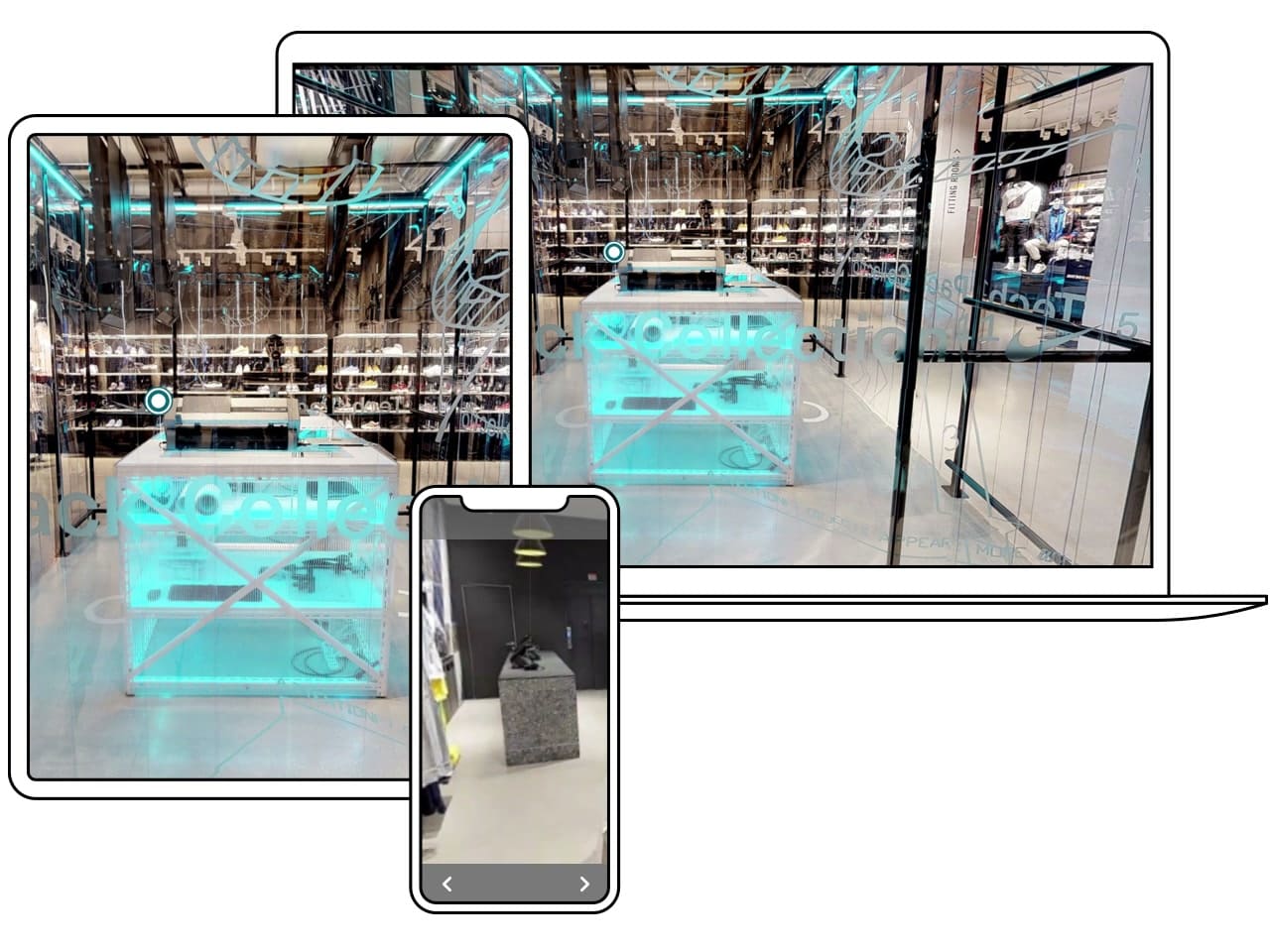
No application to install, no mandatory headset: the tour opens in the browser. The same model works on computers, tablets and smartphones, and the link can be shared in an email, a listing or a message.
- Immediate orientation. The view from above and the floor plan show where you are straight away.
- Content in the right place. Each tag opens what is needed at that moment, without interrupting the visit.
- Six languages. The interface and the text can follow the visitor's language.
- No barriers. The tour is a link: it opens on mobile too, while travelling or during a call.
Transparency: what a scan is not
Knowing the limits helps to use the tool well. These are the points we clarify before we start.
- It is not a certified survey. Measurements are accurate and useful, but they do not replace a geometric survey signed by a qualified technician.
- Interiors are its home. The Pro2 works best within about 4.5 metres per scan and with controlled light; for large outdoor areas we assess different tools case by case.
- Some surfaces mislead. Glass, mirrors, black or very shiny surfaces may require extra passes and a review in post-production.
- The tour is not the project. An online tour requires hosting and updates: time and costs are in the price list, not hidden in the quote.
Sources and trademarks
Technical specifications consulted on 31 October 2026:
Matterport and Pro2 are trademarks of Matterport, Inc. Specifications may change: the manufacturer's documents prevail.
Frequently asked questions
- Do I need an app to visit a tour?
- No. The tour opens in the browser, on computers, tablets and smartphones. The app is for us during scanning, not for visitors.
- How accurate is the scan?
- Matterport states an accuracy of 1%. At 4.5 metres, the maximum range of a scan, that is about 4.5 centimetres.
- Can I take measurements in the tour?
- Yes, the measuring tool is built in. The values are indicative and do not replace a certified survey.
- Does it work outdoors?
- The Pro2 is designed for interiors. For outdoor or very large spaces we assess tools and timing case by case.
- Who owns the tour and the data?
- The client. We produce and publish the tour; hosting lasts twelve months and can be renewed.
- How many languages can it be made in?
- The interface and text can be produced in six languages: Italian, English, German, French, Spanish and Chinese.
Let's talk
Do you have a space to tell in 3D?
Tell us about your project: we will assess together how to turn it into a virtual tour.